A Practical Guide to Notifications for Customer Support Teams
Your support team sends order updates, payment reminders, and escalation alerts across four channels, and customers still miss half of them. Every unanswered notification becomes a follow-up ticket, a refund request, or a churn risk you never see coming. There is a more detailed rundown of Whatsapp Business API worth bookmarking.
This guide shows you how to match channels to urgency, write templates customers actually open, and automate routine updates without losing the human touch. You will also learn how to cut notification fatigue, route escalations to the right agent, and measure what matters across WhatsApp, Messenger, and Instagram.
Why Notification Strategy Makes or Breaks Support Teams
A single missed alert can turn a routine ticket into a churn event, which is why notification strategy sits at the center of every high-performing support desk. Notifications are the nervous system of support operations. They are not just pings that land in an inbox or a chat window.
Think of notifications as the connective tissue between what customers expect and what agents actually do. A customer submits a request and expects movement. An agent needs to know that request exists, how urgent it is, and who owns it. Notifications carry that signal across every channel the team uses, from email and SMS alerts to push notifications, in-app messages, and desktop alerts.
When that signal is weak, everything downstream suffers. A poorly designed notification flow does not announce itself as a problem. It shows up as a slow first response, a ticket that sits untouched in the wrong queue, or an agent who never sees the escalation request until a manager asks about it.
The core argument is straightforward. Inconsistent or poorly designed notification flows directly cause SLA breaches, agent burnout, and customer dissatisfaction. These three outcomes feed each other. Missed SLAs create pressure, pressure drives burnout, and burnout degrades the quality of every customer interaction that follows.
Consider two concrete examples. A payment reminder that arrives 24 hours late can trigger a refund request, because the customer has already lost confidence in the process. A proactive outage alert, sent before customers start asking questions, can reduce inbound ticket volume. Same event, two very different outcomes, decided entirely by notification timing and design.
This is why notification strategy deserves the same attention as routing rules, priority levels, and queue management. The next section quantifies what poor notification management actually costs.
The Hidden Costs of Poor Notification Management
Poor notification management rarely shows up as a line item on a budget, yet it quietly inflates support costs through missed SLAs, duplicated work, and agent attrition. The damage is real, but it is distributed across so many small moments that it becomes easy to overlook.
The first cost is delayed responses and their effect on satisfaction. A delay in first response can reduce CSAT. That decline compounds across a queue. Every late reply pushes the next customer further back, and resolution time stretches accordingly.
The second cost is agent inefficiency from context-switching. When notifications lack priority levels or routing rules, agents cannot tell what matters. They bounce between items, lose their place, and pay a refocus penalty each time.
The third cost is customer churn from missed proactive alerts. A shipping delay notification sent early can prevent "where is my order?" tickets from ever being created. Without it, those tickets arrive anyway, and each one consumes agent time that could have gone toward higher-value work.
The fourth cost is escalation failure. A single mishandled ticket, left unacknowledged long enough, can move from a private complaint to a public social media crisis. At that point the cost is no longer measured in tickets. It is measured in brand trust.
| Scenario | Without Strategy | With Strategy |
|---|---|---|
| First response | Delayed, CSAT drops | Consistent, SLA met |
| Agent focus | Constant context-switching | Prioritized, routed work |
| Proactive alerts | Customers ask first | Team informs first |
| Escalation | Public crisis risk | Handled internally |
Good strategy does not require every channel at once. It requires clear priority levels, sensible routing rules, and escalation paths that reach the right person, whether that is through Slack, Microsoft Teams, PagerDuty, or an on-call schedule tied to incident management.
Choosing the Right Channels for Customer Notifications
Not every notification deserves a push alert, and not every update should sit in an email inbox. Matching channel to urgency is the first step toward notification relevance.
Support teams that blast every update across every channel train customers to ignore all of them. A ticket acknowledgment, a security alert, and a feature announcement serve different purposes and carry different weight. Treating them identically creates noise, and noise leads to muted notifications, disabled apps, and missed escalations.
A useful starting point is an urgency matrix that plots two variables: how time-sensitive the message is, and how much detail it needs to carry. High urgency plus time-sensitive content points to SMS or push. Medium urgency with detailed information fits email or in-app messages. Low urgency promotional or educational content belongs in-app or in email, never in an SMS alert.
Customer preference is the second axis. Someone who opted into WhatsApp for order updates may not want a phone call for the same event. Respecting stated preferences is not just polite, it keeps your sender reputation intact and reduces the chance that future critical alerts get blocked or filtered.
Omnichannel support teams face a specific trap: channel silos. When WhatsApp conversations, email threads, and in-app messages live in separate tools, agents lose context and customers repeat themselves. A shared view of the customer across channels, whether through a help desk like Zendesk, Intercom, or Freshdesk or through CRM records in Salesforce Service Cloud or HubSpot, keeps the notification history in one place.
The sections below map specific channels to specific use cases, so you can build routing rules that match message type to the medium customers actually check.
WhatsApp, Email, SMS, and In-App: Matching Channel to Urgency
WhatsApp delivers a high open rate within minutes, while email averages a lower open rate over hours. Urgency should dictate which channel you use for which message.
That gap matters when a delivery is delayed or a payment fails. It matters less when you are sending a monthly invoice. The table below offers a practical starting point, though exact response times vary by audience, industry, and region.
| Channel | Typical Urgency | Best Use Case | Average Response Time |
|---|---|---|---|
| High to medium | Real-time order updates, payment confirmations, two-way support | Minutes | |
| Low to medium | Detailed invoices, weekly summaries, non-urgent follow-ups | Hours to days | |
| SMS | Critical | Security breaches, delivery delays, account lockouts | Minutes |
| In-app messages | Low | Onboarding tips, feature announcements, contextual guidance | Immediate, when the user is active |
| Push notifications | Medium to high | Time-sensitive reminders, ticket status changes, SLA warnings | Minutes |
Each channel carries trade-offs. WhatsApp excels at conversational support because customers can reply in the same thread, which suits order tracking, payment confirmations, and quick two-way exchanges. It is less suited to long documents or anything a customer might want to archive.
Email remains the right home for invoices, weekly account summaries, and follow-ups that do not need an immediate answer. It is searchable, attachable, and easy to forward to a colleague. The trade-off is speed: an email about a resolved ticket may arrive long after the customer has moved on.
SMS should be reserved for genuine emergencies. A security breach, a failed payment on a subscription about to lapse, or a delivery delay on a time-critical shipment all justify a text. Overusing SMS for routine updates burns trust fast and can trigger carrier filtering.
In-app messages work best for onboarding sequences, feature announcements, and contextual tips tied to what the user is doing right now. Because they appear inside the product, they reach people who are already engaged and avoid interrupting anyone who is not.
Push notifications sit between SMS and in-app. They suit time-sensitive reminders, ticket status changes, and SLA warnings that need attention within the hour but not within seconds. Push also supports routing rules that escalate to SMS if the user does not respond, a pattern common in incident management and on-call scheduling.
Compliance deserves a place in this framework. SMS in the United States falls under TCPA rules, which govern consent, opt-out language, and sending hours. WhatsApp business messaging has its own template and opt-in requirements. Email is governed by CAN-SPAM and GDPR depending on your audience. Before any channel goes live, confirm that opt-in records exist and that every message includes a clear way to unsubscribe.
Two operational habits keep this mapping honest. First, log every notification against the customer record so agents see the full history, not just the channel they happen to be working in. Second, review channel performance quarterly. If push notifications show high dismissal rates, the urgency threshold is probably set too low, and it may be time to move those messages to email or in-app instead.
Designing Notifications Customers Actually Want to Read
A notification that gets ignored is worse than no notification at all. It trains customers to tune out your brand's messages entirely. Once that habit forms, even a critical alert about a delayed order or a failed payment lands in the same mental trash bin as a routine marketing blast.
Channel selection gets most of the attention in customer support planning. Teams debate email notifications versus SMS alerts versus push notifications, then treat the message itself as an afterthought. That order is backwards. Readability, relevance, and timing determine whether a notification gets acted upon or dismissed, regardless of how it arrives.
A useful filter here is the 3-second rule. If a customer cannot grasp the purpose of a message and the action required within three seconds, the notification has failed. That applies to an order update, a payment reminder, or an escalation notice from a help desk. The reader should never have to decode what you meant.
Three-second failures usually trace back to the same causes. A vague subject line that buries the point. A wall of text with no clear next step. A message that arrives hours after the event it describes. Each one pushes the customer toward dismissal rather than action.
This section covers concrete templates and timing strategies for the notifications support teams send most often. The goal is a message a customer can scan, understand, and act on without opening a ticket to ask what it meant.
Templates, Tone, and Timing Best Practices
The difference between a low and a high click-through rate often comes down to three variables: template structure, tone of voice, and send timing. None of them requires new tooling. They require discipline about what goes into each message.
Template structure follows a predictable shape. A clear subject line for email, or a strong first line for chat notifications, sets expectations. The purpose belongs in the first sentence, not the third paragraph. Include a single call-to-action and a fallback contact method for customers who need more help.
- Subject line or first line states the specific event, not a generic greeting
- Opening sentence names the purpose and the affected order, ticket, or account
- One primary call-to-action, with a secondary path for questions
- A fallback contact method such as a reply address or support link
Tone should match brand voice while prioritizing clarity over cleverness. Urgent alerts call for direct language. Routine updates can carry a friendlier register. A payment failure notice is not the place for wordplay.
Timing follows the nature of the event. Order updates go out immediately. Payment reminders land roughly three days before the due date. Follow-ups after a resolution arrive within 24 hours, while the interaction is still fresh.
Two examples show the gap between poor and strong execution. A shipping delay notice that reads "Your order is delayed" forces the customer to ask which order, how long, and what happens next. A stronger version names the order, states the new delivery window, and offers a single action such as tracking the shipment.
A payment reminder that opens with "Friendly reminder!" and buries the amount and due date fails the same test. The better version leads with the invoice number, the amount due, and the date, then adds one clear payment link.
Teams can refine both templates through A/B testing. Test subject lines for clarity against curiosity. Test send times across morning and afternoon windows. Track opens, clicks, and reply rates, then let the data settle the argument.
These patterns scale across channels. Email notifications, SMS alerts, push notifications, in-app messages, and chat notifications all benefit from the same discipline. A well-structured message respects the customer's time whether it arrives in an inbox or a mobile alert.
Automating Routine Notifications Without Losing the Human Touch
Automation should handle the repetitive 80% of notifications so your agents can focus on the empathetic 20% that truly requires a human. Many support leaders hesitate to automate because they fear it will make their brand feel cold or impersonal. That fear is understandable, but it often confuses automation with indifference. A poorly written template feels robotic. A well-designed notification that uses real customer context can feel more personal than a generic message typed by a rushed agent.
The difference comes down to data and context. When an automated message includes the customer's name, references their specific order or issue, and arrives at exactly the right moment, it signals attentiveness. A human agent sending a vague "we're looking into it" note actually feels less personal by comparison. The goal is not to replace human warmth. It is to reserve that warmth for the moments where it matters most.
This is where human-in-the-loop automation becomes valuable. For routine updates like shipping confirmations or payment reminders, full automation works well. For high-stakes messages, such as a service outage affecting a major account or a sensitive billing dispute, an automated draft can be routed to an agent for review before it sends. The system does the heavy lifting, and a person adds the final judgment call.
Getting this balance right requires deliberate design. Teams should map out which notifications can run on their own and which need a human checkpoint. Reviewing those rules regularly keeps the system aligned with what customers actually need.
Order Updates, Payment Reminders, and Proactive Support Triggers
A proactive "your order is delayed" message sent before the customer notices can reduce inbound tickets compared to reactive support. That principle applies across every routine notification category. The following three types cover most of what a support team sends automatically.
Order updates should trigger on every meaningful status change: shipped, out for delivery, and delivered. Each message should include a tracking link, an estimated arrival window, and the customer's name alongside their specific order details. Personalizing with the product name or a past purchase reference makes the update feel tailored rather than mass-produced.
Payment reminders work best on a three-touch schedule: three days before the due date, one day before, and on the due date itself. Each reminder should state the amount, include a direct payment link, and clearly explain the consequence of non-payment. The tone should stay firm but helpful, never threatening.
Proactive support triggers catch problems before they escalate. Consider these examples:
- If a customer views the same help article twice without resolving their issue, trigger a chat invitation.
- If a ticket remains unresolved for 24 hours, send an automatic status update so the customer knows they have not been forgotten.
- If a customer's order is delayed in transit, send a heads-up message with a revised timeline before they reach out.
All three categories depend on customer data to avoid sounding robotic. Pulling a name, a past purchase, or a ticket history into the message turns a template into something that reads like a real interaction. Automation rules should also be reviewed monthly for relevance. Triggers that made sense last quarter may now be noise, and stale rules erode trust faster than no automation at all.
Reducing Notification Fatigue Across Your Support Workflow
When every alert feels urgent, nothing is urgent. Notification fatigue turns critical escalations into background noise for your support team. The problem compounds quietly: agents start dismissing desktop alerts without reading them, tickets sit untouched past their SLA targets, and response time drifts upward even though the queue looks manageable.
Fatigue rarely announces itself. It shows up as slower first responses, more triage mistakes, and a creeping sense that the help desk is always behind. Left unchecked, it damages both resolution time and agent morale.
The symptoms are consistent across teams. Watch for these warning signs:
- Agents ignore or auto-dismiss alerts from channels they once trusted
- Urgent tickets wait in queue because the ping blended into the noise
- Error rates rise as tired agents misroute or misread assignments
- On-call staff report feeling "always on" even during quiet periods
The fix is not fewer notifications. It is smarter ones. Five strategies do most of the work.
1. Implement severity levels. Classify issues from P1 to P4 and route only P1 and P2 to on-call channels like PagerDuty or Opsgenie. Lower priorities belong in the ticket queue, not on someone's phone at midnight.
2. Batch non-urgent notifications. Roll routine updates into a digest email rather than firing an individual alert for each event. A single daily summary of low-priority ticket movement keeps agents informed without interrupting focus.
3. Set quiet hours. Non-critical alerts can wait until the next business window. Quiet hours protect evenings and weekends while still letting genuine incidents break through.
4. Deduplicate alerts. When one outage triggers fifty notifications, agents learn to ignore all of them. Group related events into a single incident so the signal stays readable.
5. Audit your rules regularly. Notification rules accumulate over time. Review them quarterly and remove any that no longer map to a real decision an agent needs to make.
A support team dealing with overlapping channels, email, chat, SMS, and push, consolidated its alerting into two streams and set thresholds on what qualified as urgent. The result was a reduction in total alerts with no drop in incident coverage. Fewer, better signals meant faster acknowledgment of the ones that mattered.
Customer-facing notifications suffer from the same problem. When every status update arrives by email, SMS, and push, customers stop reading them. Offering an opt-down option, letting people choose fewer channels or a digest, keeps them subscribed instead of opting out entirely.
Fatigue is a design problem, not a discipline problem. Treat every notification as a claim on someone's attention and earn it.
Routing and Escalation: Getting Alerts to the Right Agent Fast
A perfectly crafted alert is useless if it lands in the wrong queue or sits unassigned for 20 minutes. Routing and escalation are the logistics of support notifications. They decide who sees a ticket, when they see it, and what happens if nobody responds.
Good routing rules match each incoming issue to the agent best equipped to resolve it. Escalation rules act as a safety net when the first attempt stalls. Together they protect both your SLA targets and your customer relationships.
Routing rules typically draw on four signals: skill, language, product expertise, and current agent workload. A billing question in Spanish should reach a Spanish-speaking billing specialist with capacity, not the next agent in a generic round-robin queue.
Workload awareness matters just as much as skill matching. If one agent already holds fifteen open tickets, sending them a sixteenth slows everything down. Many help desk platforms, including Zendesk, Freshdesk, and Intercom, support load-balanced assignment out of the box. Others rely on webhooks and API integration to push tickets into a custom routing layer.
Priority levels give routing its sense of urgency. A common scheme runs from P1 to P4:
- P1 (Critical): outages, security incidents, or total loss of service. Immediate assignment and instant escalation if unacknowledged.
- P2 (High): major feature broken for a key account or a group of users. Fast assignment with a short escalation window.
- P3 (Medium): standard issues with a workaround available. Normal queue assignment.
- P4 (Low): questions, cosmetic bugs, and feature requests. Handled in order, no active escalation.
Each level should map to a distinct escalation path. P1 might page an on-call engineer through PagerDuty or Opsgenie within minutes, while P4 simply ages in the queue. Priority also shapes which channel fires: SMS alerts and push notifications for P1, email notifications or in-app messages for P3 and P4.
Escalation triggers fall into three families. Time-based triggers fire when a ticket sits untouched, for example no agent response within 15 minutes on a P1. Event-based triggers react to something happening, such as a customer replying with the word "urgent" or reopening a closed ticket. Sentiment-based triggers use tone detection to flag messages that read as frustrated or angry, then bump them up the queue.
Layering triggers prevents gaps. A time-based rule catches silent neglect, while sentiment detection catches quiet dissatisfaction that never uses urgent language. Teams using omnichannel support should apply the same triggers across chat notifications, email, and social channels so no channel becomes a blind spot.
Coverage depends on on-call scheduling. A rotation assigns primary and secondary responders per shift, with a clear handoff time and a backup for every slot. Tools like PagerDuty, Opsgenie, and Slack integrations handle the paging, but the schedule itself needs a human owner who reviews it monthly.
The table below shows a sample routing matrix. Adapt the issue types and times to your own volume and staffing.
| Issue Type | Priority | Assigned Team | Escalation Time |
|---|---|---|---|
| Service outage or security incident | P1 | On-call engineering | 5 minutes to acknowledge, 15 to escalate |
| Payment or checkout failure | P2 | Billing specialists | 30 minutes |
| Login or access problem | P2 | Tier 2 support | 30 minutes |
| How-to question | P3 | General support queue | 4 hours |
| Feature request or cosmetic bug | P4 | General support queue | None |
Treat this matrix as a living document. Routing rules should be tested and refined quarterly, since product changes, new hires, and shifting customer expectations all erode rule accuracy over time. A quarterly review can check misrouted ticket rates, escalation frequency, and response time trends.
Run a few test tickets through each path after every change. Confirm the right queue receives them, the right alerts fire, and the escalation timer starts correctly. A routing rule that looks fine on paper can still send a P1 to a dormant queue, and only a test will reveal it.
Finally, document who owns each rule. When routing, priority levels, and escalation paths have clear owners, drift gets caught early. When nobody owns them, tickets quietly pile up in the wrong place and customers notice long before the dashboard does.
Measuring Notification Performance: Metrics That Matter
You cannot improve what you do not measure. Tracking the right notification metrics separates guesswork from data-driven optimization. Without a defined set of numbers to watch, support leaders end up reacting to anecdotes instead of patterns.
The goal is not to track everything. It is to track the handful of metrics that reveal whether notifications are reaching people, prompting action, and improving outcomes for customers and agents alike.
Below are the core metrics worth monitoring for any customer support notification system, whether it spans email notifications, SMS alerts, push notifications, in-app messages, chat notifications, desktop alerts, or mobile alerts.
- Delivery rate: the percentage of notifications successfully delivered to the intended recipient. Failures here often point to bad contact data, blocked channels, or API integration issues.
- Open rate: most relevant for email and in-app messages. A low open rate suggests poor timing, weak subject lines, or notification fatigue.
- Click-through rate: applies to actionable notifications, such as a ticket assignment or an escalation prompt. It shows whether recipients engage with the message.
- Response time: the gap between a notification firing and the first agent action. This is a direct signal of alerting effectiveness.
- Resolution time: the gap between notification and issue resolution. It ties notification speed to real customer outcomes.
- Escalation rate: the share of notifications that require escalation. A rising rate can indicate routing rules or priority levels are misconfigured.
- False positive rate: alerts that did not require action. High false positives train agents to ignore alerts entirely.
- Customer satisfaction (CSAT): correlate CSAT scores with notification types to see which messages actually improve the customer experience.
Benchmarks vary by industry and channel, but top-performing teams tend to achieve high delivery rates, strong open rates for transactional emails, and low false positive rates for alerts. Treat these as directional targets, not universal rules.
When reviewing metrics, look for relationships rather than isolated numbers. A strong delivery rate paired with a weak click-through rate may mean the message arrives but lacks a clear next step.
A fast response time alongside a high escalation rate could signal that alerts fire too often or lack context for first-contact resolution.
Setting up dashboards is the practical next step. Group metrics by channel and by priority level so you can spot which notification paths are underperforming.
Most help desk platforms, including tools like Zendesk, Intercom, Freshdesk, Salesforce Service Cloud, and HubSpot, offer reporting on ticket management activity that can be paired with notification data from Slack, Microsoft Teams, PagerDuty, Opsgenie, or a status page.
Webhooks and API integration make it possible to pipe notification events into a single dashboard, giving one view across omnichannel touchpoints.
Review these metrics weekly, not quarterly. Weekly cadence catches drift early, before it becomes a pattern that affects SLA compliance or agent workload.
Assign one person to own the review. That owner flags anomalies, adjusts routing rules or on-call scheduling, and documents what changed and why.
Over time, this habit turns notification performance from a vague concern into a measurable part of queue management and incident management practice.
Tools and Platforms for Multi-Channel Notification Management
From help desk suites to dedicated alerting tools, the right platform stack turns notification chaos into a coordinated, omnichannel workflow.
Most support teams do not need a single tool that does everything. They need a small set of platforms that talk to each other, so a customer message in one channel triggers the right alert in another. API integration and webhooks are the connective tissue that makes this possible.
Tool categories tend to fall into five groups, each solving a distinct part of the notification puzzle:
- Help desk and ticketing: Zendesk, Intercom, Freshdesk, Salesforce Service Cloud, and HubSpot Service Hub manage ticket management, assignment, and SLA tracking. They are the system of record for customer conversations.
- Incident management and alerting: PagerDuty and Opsgenie handle on-call scheduling, severity-based routing, and escalation when something breaks or a ticket breaches its SLA.
- Team communication: Slack and Microsoft Teams act as the destination for desktop alerts and in-app messages, keeping agents in one workspace.
- Status pages: Statuspage and Instatus publish real-time service health, reducing inbound "is it down?" tickets during incidents.
- Integration platforms: Zapier, Make, and native webhooks or APIs connect tools that lack a direct integration, passing event data between systems without custom code.
The practical question is not which tool is best in isolation. It is which combination fits your existing stack and supports your primary channels, whether that means email notifications, SMS alerts, push notifications, or chat notifications.
A webhook from your help desk can create a PagerDuty incident when a priority-one ticket sits unassigned past a threshold. That same event can post a Slack alert and update a status page, all within seconds. Routing rules and priority levels decide who gets woken up and who gets a quiet notification.
Start by mapping your channels and your escalation paths. Then choose tools that expose clean APIs and support the alerting channels your team already monitors. A platform that integrates natively with your CRM and help desk will always beat a more powerful tool that requires fragile workarounds.
How Com.bot Handles Notifications Across WhatsApp, Messenger, and Instagram
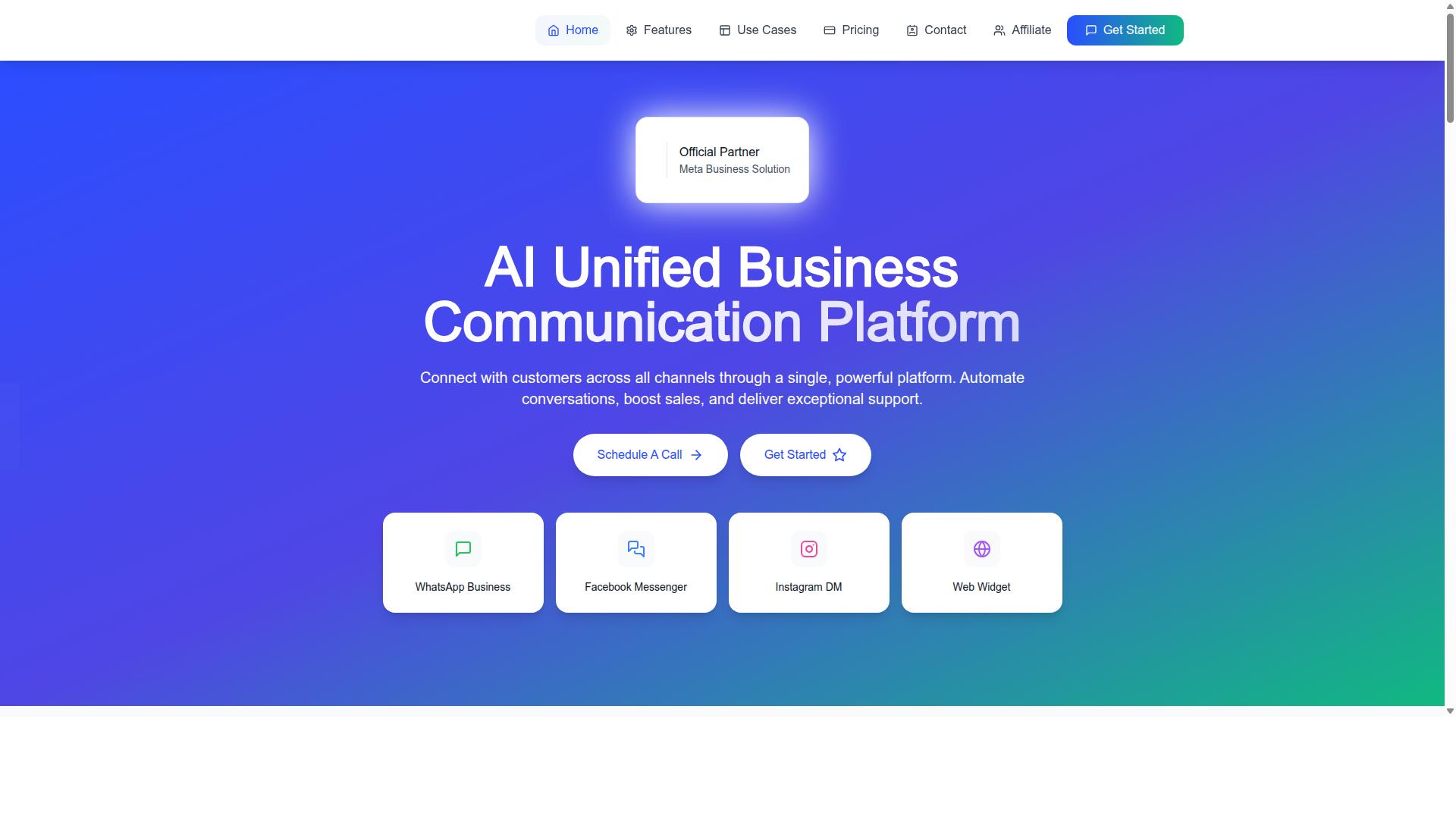
Com.bot unifies WhatsApp Business, Facebook Messenger, Instagram DM, and web widget notifications into a single platform, so support teams never miss a customer message regardless of channel.
The Unified Team Inbox aggregates notifications from all four channels into one view. Agents do not switch between apps to check for new messages. Everything lands in the same queue, which simplifies triage and assignment.
The Visual Bot Builder uses a drag-and-drop interface to create automated notification flows without coding. Teams can build flows for order updates, payment reminders, and similar triggers. This means routine notifications go out automatically, while complex issues route to a human agent.
Com.bot also supports Native Payments for WhatsApp transactions. When a payment completes, the platform can trigger a confirmation notification to the customer. That closes the loop between transaction and communication in one place.
Multi-Channel Support ensures consistent notification delivery across WhatsApp, Facebook, and Instagram. A customer who messages on Instagram gets the same quality of response as one on WhatsApp. The platform also enables both automated and human-agent notifications, with escalation rules to route urgent messages to the right agent.
Com.bot holds Official Meta Business Partner status, which supports reliable API access and compliance. The platform processes 25M+ messages per day and serves 23,000+ active customers, demonstrating scale and reliability for teams that need dependable notification delivery.
For support teams already using WhatsApp or Instagram as customer channels, Com.bot handles multi-channel notifications natively. That removes the need to stitch together separate tools for each messaging platform. The result is a single notification flow that covers automated updates, payment confirmations, and human escalation in one system.