What to Look for in a CTR Manipulation Tool: CTRTool Checklist
Paying for search visits you cannot verify is a blind bet. Many CTR tools report clicks but never show the page, the position, or how long anyone stayed. That gap makes it impossible to tell real campaign activity from a log entry.
This article gives you a practical checklist for judging any CTR manipulation tool, covering proof and transparency, campaign control, targeting, and billing fairness. You will also see how CTRTool measures against each item, from screenshot proof to desktop and mobile campaigns, so you can decide whether it fits your search visibility work.
What Is CTRTool? A CTR Campaign Tool Defined
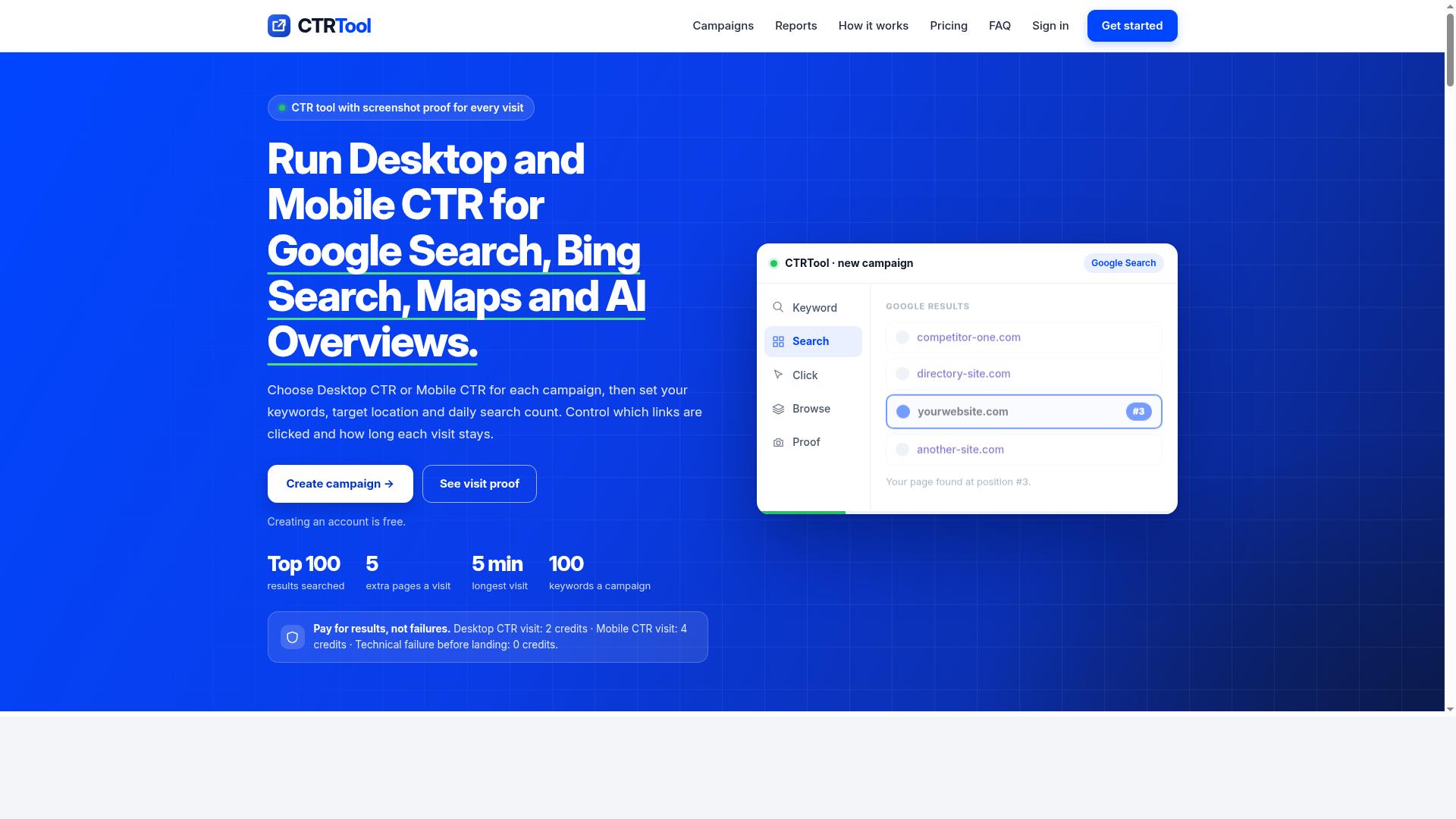
CTRTool is a SaaS platform that runs CTR campaigns for Google Search, Bing Search, Maps, and AI Overviews, with screenshot proof for every visit. In plain terms, it is online software that lets SEO practitioners simulate organic clicks and strengthen click-through rate signals on the pages they care about.
The defining characteristic is proof. Rather than asking users to take campaign activity on faith, CTRTool documents each visit with a screenshot, giving practitioners something concrete to review and reference. That matters in a category where transparency is often thin.
CTRTool is not a general marketing suite or an all-in-one SEO platform. It is a focused CTR manipulation tool built around one job: running click campaigns and showing evidence of what happened. The scope is deliberately narrow, which keeps the product's purpose easy to understand.
Because click-through rate can influence SERP ranking and organic traffic outcomes, SEOs often want more control over how their listings perform in search results. CTRTool addresses that need directly through campaign-based click activity rather than indirect optimization tactics.
Platform coverage is part of the definition too. The tool spans traditional search on Google and Bing, local visibility through Maps, and the newer surface of AI Overviews. That range sets up the next question: who actually uses a tool like this, and on which platforms do they run their campaigns?
Who CTRTool Serves and Which Platforms It Covers
CTRTool is built for SEO practitioners and agencies running CTR campaigns for their own or client websites across Google Search, Bing Search, Google Maps, and AI Overviews. It is a working tool for people who manage search visibility as part of their job, not a casual consumer app.
The agency use case is central. When a firm manages campaigns for client sites, documented activity and clear reporting become part of the service relationship. CTRTool's screenshot proof for every visit fits that dynamic by giving practitioners a record they can point to.
The supported platforms break down into four surfaces:
- Google Search for standard organic results
- Bing Search for Microsoft's search engine
- Google Maps for local and map-based visibility
- AI Overviews for AI-generated answer surfaces in search
The site's own guidance references tier links, PBNs, and test properties, which signals the intended audience clearly. This is a tool aimed at hands-on SEOs who already understand link structures and campaign tactics, not beginners looking for a guided walkthrough.
That guidance also carries a caution: start with tier links, PBNs, and test properties, and use CTR on main sites with caution. The recommendation reflects a practitioner-first mindset, where users are expected to make informed decisions about where and how they apply click campaigns.
In short, CTRTool serves a specific crowd on specific platforms. SEOs and agencies get a defined set of surfaces to work with, and the tool's positioning as a proof-backed campaign platform gives them a clear starting point for evaluating whether it fits their workflow.
The CTRTool Checklist: What to Look for in a CTR Manipulation Tool
Evaluating a CTR manipulation tool requires a checklist that covers proof of visits, campaign control, and billing fairness. These three areas separate tools you can audit from tools that ask for blind trust.
The framework below works as a feature evaluation sequence. Start with evidence that clicks actually happen, then confirm the campaign settings match organic behavior, then read the pricing model closely before committing.
A tool that fails any one of these tests introduces risk: unverifiable traffic, clumsy targeting, or credits that vanish without explanation. Use all three criteria together, not as a menu.
Proof, Transparency and Visit Quality
The first checklist item is proof: demand screenshot evidence for every visit, including search and landing screenshots, plus full visit paths. Without this, you cannot tell real sessions from claimed ones.
A credible CTR manipulation tool should show the search query used, the SERP as it appeared, and the landing page the visitor reached. Timestamped proof matters too, because it lets you match visits to your campaign schedule.
Look for evidence of realistic dwell time and session duration. A visit that lasts a second or two looks mechanical. Quality signals such as bounce rate and on-page behavior should resemble what genuine visitors produce.
- Separate search and landing screenshots for each visit
- Full visit paths, from query to landing page
- Timestamps that align with your campaign window
- Randomized visit patterns rather than fixed intervals
- Session metrics that reflect natural browsing
Ask whether visits are randomized across time and users. Predictable patterns are easy to flag, and a vendor unwilling to show proof is a warning sign. Check whether traffic analytics in your own dashboard corroborate the vendor's reports.
Finally, confirm the tool documents its proxy network approach, whether residential proxies or datacenter proxies, along with IP rotation and user agent rotation. Transparency here signals a serious operation.
Campaign Control and Targeting Options
The second checklist item is control: look for granular keyword targeting, geo-targeting by country, state, or city, device targeting for desktop versus mobile, and adjustable daily click limits and click velocity.
Each control protects your campaign in a different way. Keyword targeting keeps clicks pointed at the search queries you actually want to rank for, rather than scattering budget across unrelated terms.
Geo-targeting matters because a click from the wrong region can distort your local relevance signals. Device targeting matters because desktop and mobile behavior differ, and mixed traffic should mirror your real audience split.
- Keyword-level targeting tied to specific search queries
- Location filters down to city level
- Device selection for desktop and mobile
- Daily click caps and adjustable click velocity
- Randomization of click timing across the day
Daily click limits and click velocity settings prevent sudden spikes that no organic profile would produce. Randomization of timing completes the picture, spreading clicks in a pattern that resembles human activity.
Position tracking over time is the control most buyers forget. You need to see where your pages sit in the SERP ranking before, during, and after a campaign, otherwise you cannot judge whether the effort moved anything. A tool that supports campaign management across multiple keywords and offers real-time reporting gives you that visibility without guesswork.
Billing Fairness and Credit Rules
The third checklist item is billing fairness: verify how credits are consumed, whether unused credits roll over, and if there is a trial or refund policy.
Start with the basics. Does the vendor publish a clear rate per visit, and does that rate differ between desktop and mobile clicks? A pricing model that hides consumption rules behind vague language is a red flag.
Ask what exactly counts as a credit. A visit that fails to load, a click that never lands, or a session cut short should not drain your balance without explanation. Rollover policies deserve the same scrutiny, since unused credits that expire quietly amount to a hidden cost.
- Published credit cost per visit type
- Clear definition of what consumes a credit
- Rules on unused credit rollover and expiry
- Availability of a free trial before commitment
- A stated refund or dispute process
Opaque billing is the most common complaint in this category, and it is avoidable. Compare subscription tiers against your expected monthly click volume so you are not paying for capacity you will never use.
A free trial or small test purchase lets you confirm the proof and control standards from the earlier checklist items before real money is at stake. If a vendor refuses any trial and will not clarify credit rules in writing, treat that as a reason to walk away.
How CTRTool Measures Up Against Each Checklist Item
Having defined the checklist, we now assess CTRTool against each criterion, starting with proof and visit quality. The goal is not to repeat the criteria but to show how the platform answers them in practice.
The following sections evaluate CTRTool on two fronts: the proof it provides and the control it gives over campaigns. Each subsection maps a checklist item to a concrete capability drawn from the tool's documented features.
Screenshot Proof and Full Visit Paths
CTRTool provides screenshot proof for every visit, with search and landing screenshots as separate proof images, plus full visit paths. That structure directly satisfies the proof requirement on the checklist, because each visit leaves a verifiable trail rather than a summary claim.
Many tools show a sample or a partial log. With CTRTool, proof is attached to every visit, not just a demonstration batch. A user can review what the search looked like and what the landing page looked like as distinct images, then follow the path taken between them.
The platform also tracks keyword positions over time, including Maps listing order and AI citation order. This matters for feature evaluation, since proof of a visit is only half the picture. Movement in rankings is the other half, and CTRTool records both in its reports.
- Search screenshots as separate proof images
- Landing screenshots as separate proof images
- Full visit paths for each visit
- Keyword positions tracked over time, including Maps listing order and AI citation order
For anyone comparing a CTR manipulation tool against a proof checklist, this is the strongest form of evidence: per-visit documentation that can be checked after the fact. Reports include full visit paths, search and website screenshots, and keyword positions over time, so the data sits in one place.
Desktop vs Mobile Campaigns and Position Tracking
CTRTool lets users choose Desktop CTR or Mobile CTR per campaign and tracks keyword positions over time, including Maps listing order and AI citation order. That covers the campaign control item on the checklist, which asks whether a tool can match a campaign to the device and context it targets.
The platform supports four campaign types, each with a desktop or mobile option:
- Google Search CTR: search a keyword and click the organic result, with Top 100 results and internal pages
- Bing Search CTR: the same approach applied to Bing
- Google Maps CTR: find a business listing and click its website link, across up to 50 listings with city targeting
- AI Overview CTR: find the website in the overview and click its source link, with source links and citation order
Device targeting is not the only control. Campaign setup includes country, state and city targeting, or Any country, plus search depth up to 100. Users can set daily search counts with now, spread out or gap timing, along with days, hours and time zone, with daily goals resetting at 00:00 UTC.
Delivery runs through Desktop Chrome windows and real Android phone sessions matched to the target location through managed proxy routes. For a feature evaluation, that combination of device choice, geo-targeting and scheduling is what separates a controlled campaign from a blunt one.
Campaign Types and Key Features
CTRTool offers four campaign types: Google Search CTR, Bing Search CTR, Google Maps CTR, and AI Overviews, each with specific features. Together they cover the main places where a searcher can meet a brand: classic organic results, local map listings, and AI-generated summaries.
Google Search CTR campaigns work by searching a keyword and clicking the organic result. You can run them on desktop or mobile, search through the top 100 results, and point clicks at internal pages as well as the main URL.
Bing Search CTR campaigns mirror the same logic for Bing. The same keyword, device, and search depth controls apply, which matters for audiences that still lean on Bing for everyday queries.
Google Maps CTR campaigns find a business listing and click its website link. These campaigns check up to 50 listings and support city targeting, which suits local businesses competing inside a specific service area.
AI Overview campaigns require matching. The tool finds your website in the overview and clicks its source link, so the campaign needs to line up with the source links and citation order shown for that query.
Beyond campaign type, three supporting features shape how results are measured and delivered:
- Screenshot proof: reports include search and website screenshots, so each visit leaves a verifiable record.
- Position tracking: keyword positions are logged over time, covering Search positions, Maps listing order, and AI citation order.
- Device targeting: delivery runs through Desktop Chrome windows and real Android phone sessions, matched to the target location through managed proxy routes.
Campaign setup adds further control. A campaign supports up to 100 keywords, country, state and city targeting (or Any country), and a search depth up to 100. Daily search counts can run now, spread out, or with gaps, across chosen days, hours, and time zone, with daily goals resetting at 00:00 UTC.
Visit behavior is configurable too. You set the target URL, internal page URLs, and link text, along with click order and scrolling time. Each visit can include up to five additional pages and last up to five minutes in total.
Reports go further than a click count. Full visit paths show where each session went, which helps when reviewing dwell time and session duration alongside the raw numbers. Custom form filling or other custom actions are available through support with a separate agreed one-time fee.
Pricing and Plans
CTRTool offers monthly plans in USD: Starter at $59/month for 2,000 credits (up to 1,000 Desktop CTR visits or 500 Mobile CTR visits) and Growth at $125/month for 5,000 credits (up to 2,500 Desktop or 1,250 Mobile visits). Two larger tiers round out the lineup for heavier campaign volumes.
Every plan is a monthly subscription, and the pricing model is built on credits rather than flat visit counts. That distinction matters when you compare tiers, because the same credit balance buys different amounts of activity depending on how you target devices.
| Plan | Price (USD/month) | Credits | Up to Desktop Visits | Up to Mobile Visits |
|---|---|---|---|---|
| Starter | $59 | 2,000 | 1,000 | 500 |
| Growth (Recommended) | $125 | 5,000 | 2,500 | 1,250 |
| Scale | $399 | 20,000 | 10,000 | 5,000 |
| Agency | $699 | 40,000 | 20,000 | 10,000 |
The credit costs explain the visit figures. A Desktop CTR visit costs 2 credits and a Mobile CTR visit costs 4 credits, so mobile campaigns consume your balance twice as fast as desktop ones. A verified search without a match costs 1 credit, and a technical failure before landing costs 0 credits.
That last point deserves a place on any checklist for a CTR manipulation tool. Charging nothing when a visit fails before it lands means wasted attempts do not quietly eat into your budget.
Unused credits roll over while your subscription is active, but they expire when a cancellation takes effect. Creating an account is free, and custom development carries a separate, agreed one-time fee. The site also displays limited launch pricing, noting that prices rise 30% on November 15.
When you run a feature evaluation on pricing, map your device targeting and daily click limit needs against these credit costs. A campaign weighted toward mobile needs a larger tier than a desktop-only one. Match the plan to your actual mix before committing to a subscription tier.
Who Should Use CTRTool
CTRTool is best suited for SEO practitioners and agencies running CTR campaigns for their own or client websites across Google Search, Bing Search, Google Maps, and AI Overviews. These are users who already understand how click-through rate feeds into SERP ranking and organic traffic, and who want a single campaign management environment to act on that knowledge.
This is not a beginner's shortcut. The tool fits hands-on SEOs who are comfortable planning campaigns and interpreting behavioral signals, rather than someone looking for a push-button ranking fix.
The site's own guidance references tier links, PBNs, and test properties. That tells you a lot about the intended user: someone who works with multi-layer link structures and runs controlled experiments before scaling a keyword targeting strategy.
If you manage search engine optimization for clients, CTRTool supports the agency model directly. You can run separate campaigns per property, track positions, and report on outcomes without mixing client data together.
Common scenarios where the tool earns its place include:
- Improving CTR for specific keywords where impressions are strong but clicks lag
- Testing device-specific campaigns to see how desktop and mobile behavior differ
- Tracking positions over time to judge whether a campaign is moving a search query in the right direction
- Running geo-targeting tests across regions for local or multi-market clients
Each of these fits the checklist mindset this article is built around. A practitioner who already evaluates a CTR manipulation tool on campaign management, keyword targeting, and reporting depth will find CTRTool aligned with that workflow. Agencies juggling several clients benefit most, because the same dashboard and traffic analytics view can serve every property in the portfolio.
Users who want lighter, occasional testing may find the platform more than they need. The strongest fit is a team that runs campaigns continuously, watches real-time reporting, and adjusts click velocity and randomization settings based on what the data shows.
Final Verdict: Does CTRTool Pass the Checklist?
CTRTool passes the checklist on proof and campaign control, with screenshot proof for every visit and flexible desktop/mobile campaigns, though billing fairness depends on credit usage. For buyers who weigh transparency and verifiable delivery above all else, that is a strong result.
The proof standard is where many CTR manipulation tools fall short, and CTRTool addresses it directly. Screenshot proof for every visit and full visit paths give advertisers a way to confirm that clicks were actually delivered rather than trusting a summary number. That kind of evidence matters because click-through rate work only helps a SERP ranking strategy when the traffic looks and behaves like real sessions.
Campaign control also holds up well. Device targeting and position tracking let users shape a campaign around how real searchers find and click a result, which supports more natural behavioral signals. Combined with the proof layer, this gives campaign management a level of oversight that a set-and-forget tool cannot match.
Pricing is clear but usage-based. Costs move with the credits consumed, so the value of the pricing model depends on how tightly a user scopes keyword targeting, daily click limits, and geo-targeting. A disciplined campaign keeps spend predictable. A loose one can burn credits quickly. That is not a flaw so much as a reason to plan before launching.
Balanced against the checklist as a whole, the strengths outweigh the caveats:
- Proof: screenshot evidence and visit paths for delivered clicks
- Control: device targeting and position tracking for campaign shaping
- Transparency: a credit-based model with visible pricing
- Watch point: spend scales with usage, so campaigns need clear limits
For users who want a CTR manipulation tool that shows its work, CTRTool is a credible choice. Questions can go to the support email listed in the FAQ, vaibhav@autoblogging.ai, and further details are available on the official website at https://ctrtool.com.
Frequently Asked Questions
What should a CTR manipulation tool prove for every visit?
The most important thing to check is proof. CTRTool provides screenshot proof for every visit, with search and landing screenshots saved as separate proof images, plus full visit paths so you can verify what actually happened. A tool that only reports a visit count without evidence makes it hard to judge campaign quality or show results to clients.
Does CTRTool support both desktop and mobile campaigns?
Yes. CTRTool lets you choose Desktop CTR or Mobile CTR per campaign, so you can match the device mix you want to influence. This applies across its campaign types, including Google Search, Bing Search, Maps and AI Overviews.
Which search engines and surfaces can I run campaigns on with CTRTool?
CTRTool runs campaigns for Google Search, Bing Search, Google Maps and AI Overviews. Each campaign type follows its own rules: search campaigns require your page to appear within the top 100 organic results for the chosen keyword and location, Maps campaigns check up to 50 listings (about five pages), and AI Overview campaigns need a matching source link.
How does CTRTool pricing work, and what counts as a credit?
CTRTool uses monthly plans priced in USD with pay-for-results credits. For example, the Starter plan is $59/month for 2,000 credits (up to 1,000 Desktop CTR visits or 500 Mobile CTR visits), and the Growth plan is $125/month for 5,000 credits (up to 2,500 Desktop or 1,250 Mobile visits). Because mobile visits use more credits than desktop visits, estimate your device mix before choosing a plan.
Can I target a specific country or city for my campaigns?
Yes. CTRTool is a global online service, and campaigns can target a chosen country with an optional state and city, or "Any country" to use a mix of supported locations. No country restrictions are stated, so you can align targeting with the locations where you want to see ranking and CTR movement.
What tracking and reporting should I expect from CTRTool?
CTRTool tracks keyword positions over time, including Maps listing order and AI citation order, alongside screenshot proof and full visit paths for each visit. That combination lets SEO practitioners and agencies monitor movement for their own or client sites rather than relying on a single visit count.